The conversation, the agent and the memory — in one platform.
Not five tools that have to talk to each other — one chat where each part feeds the next. Follow the path and see how the AI takes over where it does the most good.
The foundation — your conversations come together
Stop chasing messages across email, SMS and five different tools. One channel per team, one place per decision — and the whole group on the same platform without anyone sharing anything.
- ✓Channels for teams, projects and companies — open or private
- ✓The whole group on one platform, with a company switcher
- ✓Threads, mentions and polls that keep the conversation alive
The rooms stay open
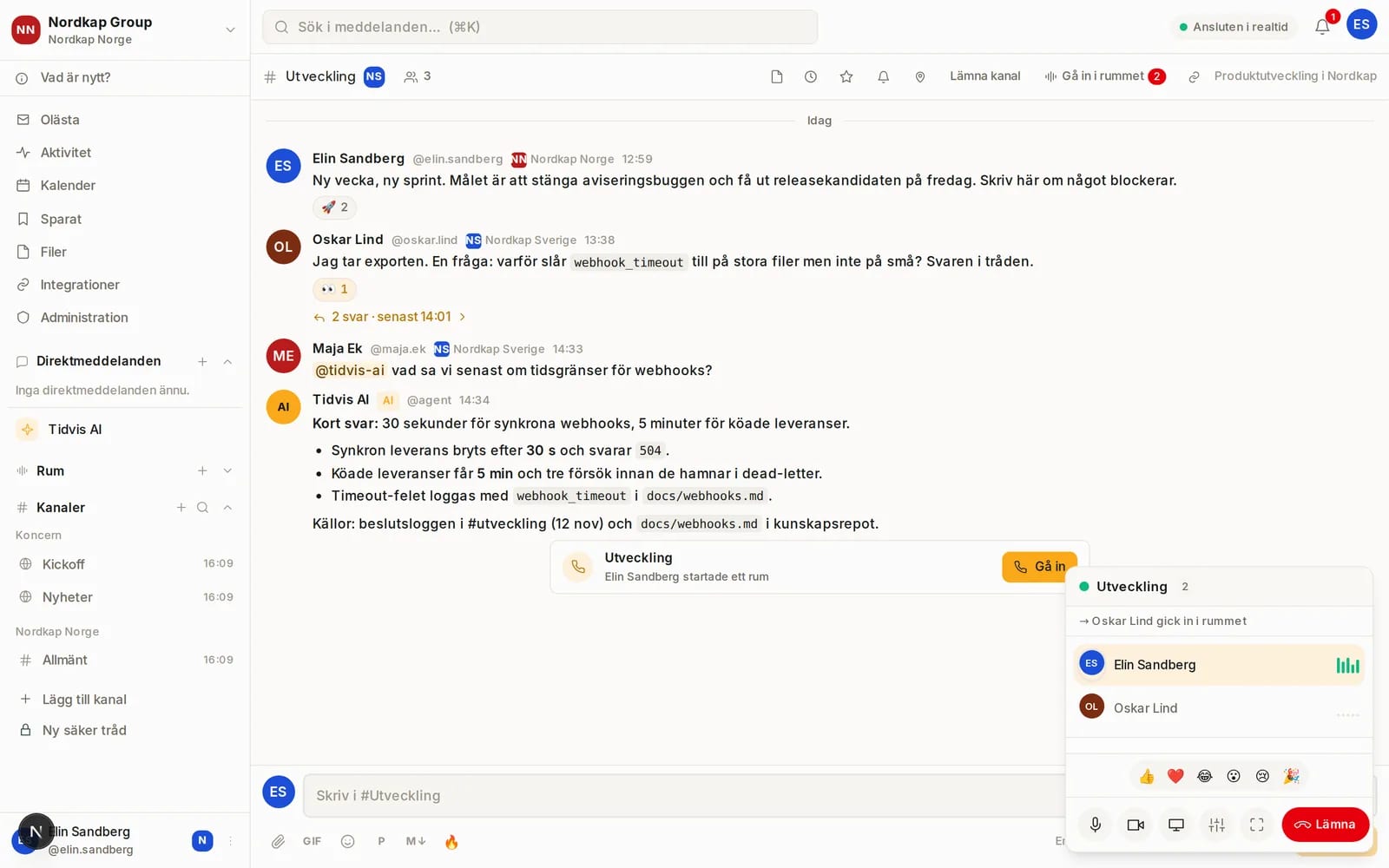
One room per team is always live. Put on your headset and you're there — no meeting link, no waiting for someone to start. Share your screen, pick a device and let guests in when you need to.
- ✓Rooms that are always open — walk in and out as you like
- ✓Screen sharing, device selection and your own background image
- ✓Reactions and chat in the room, without breaking the conversation
The calendar lives in the chat
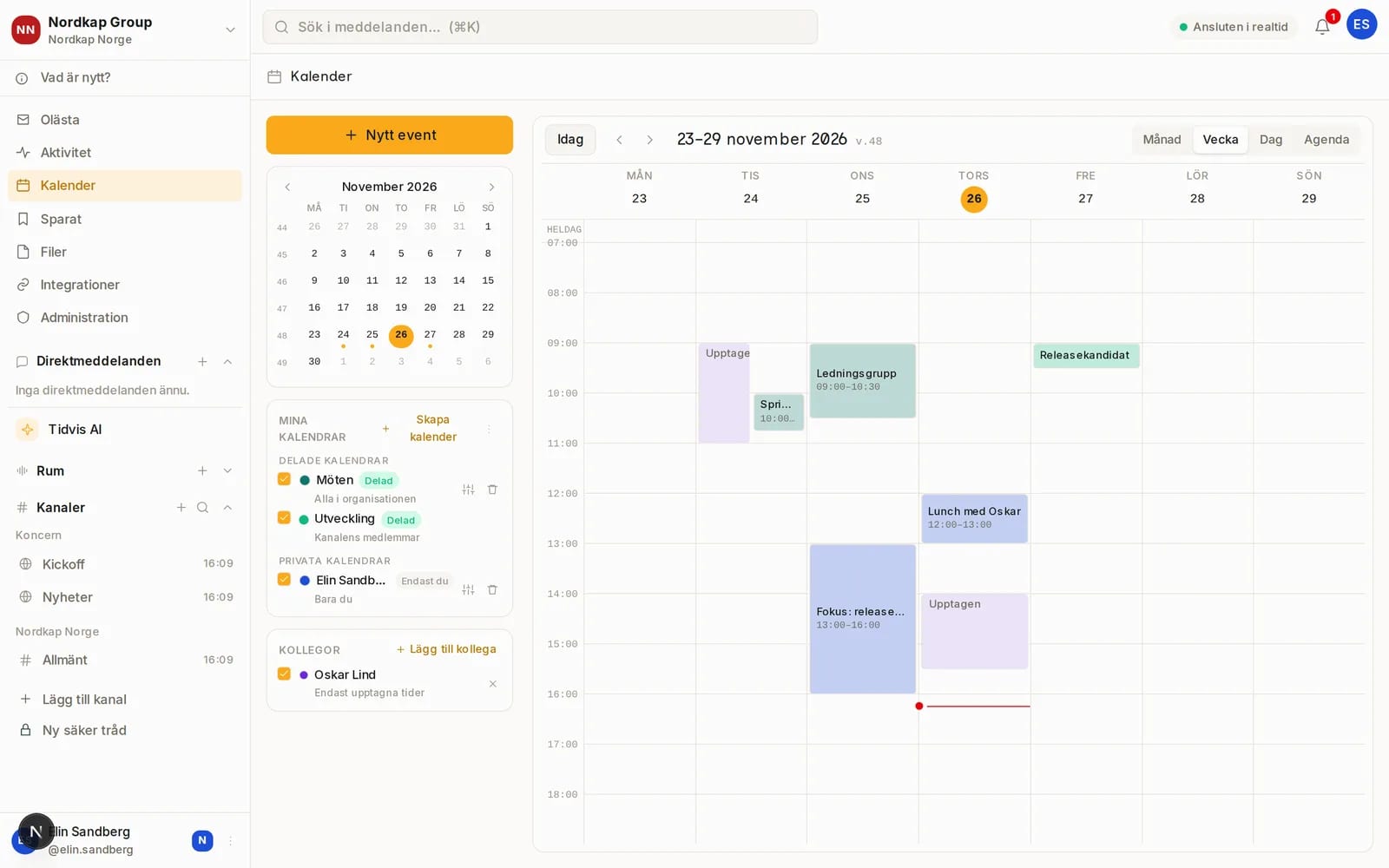
Plan in the same app as your conversations. See the day, the week and the month, compare with your colleagues' free time and find a slot that works. The calendar syncs with Google and with work shifts from Tidvis.
- ✓Day, week, month and agenda — plus the channel's own calendar
- ✓Free/busy or the full agenda: you decide what your colleagues see
- ✓Find time with colleagues, invite them and answer yes, no or maybe
The AI takes the night shift
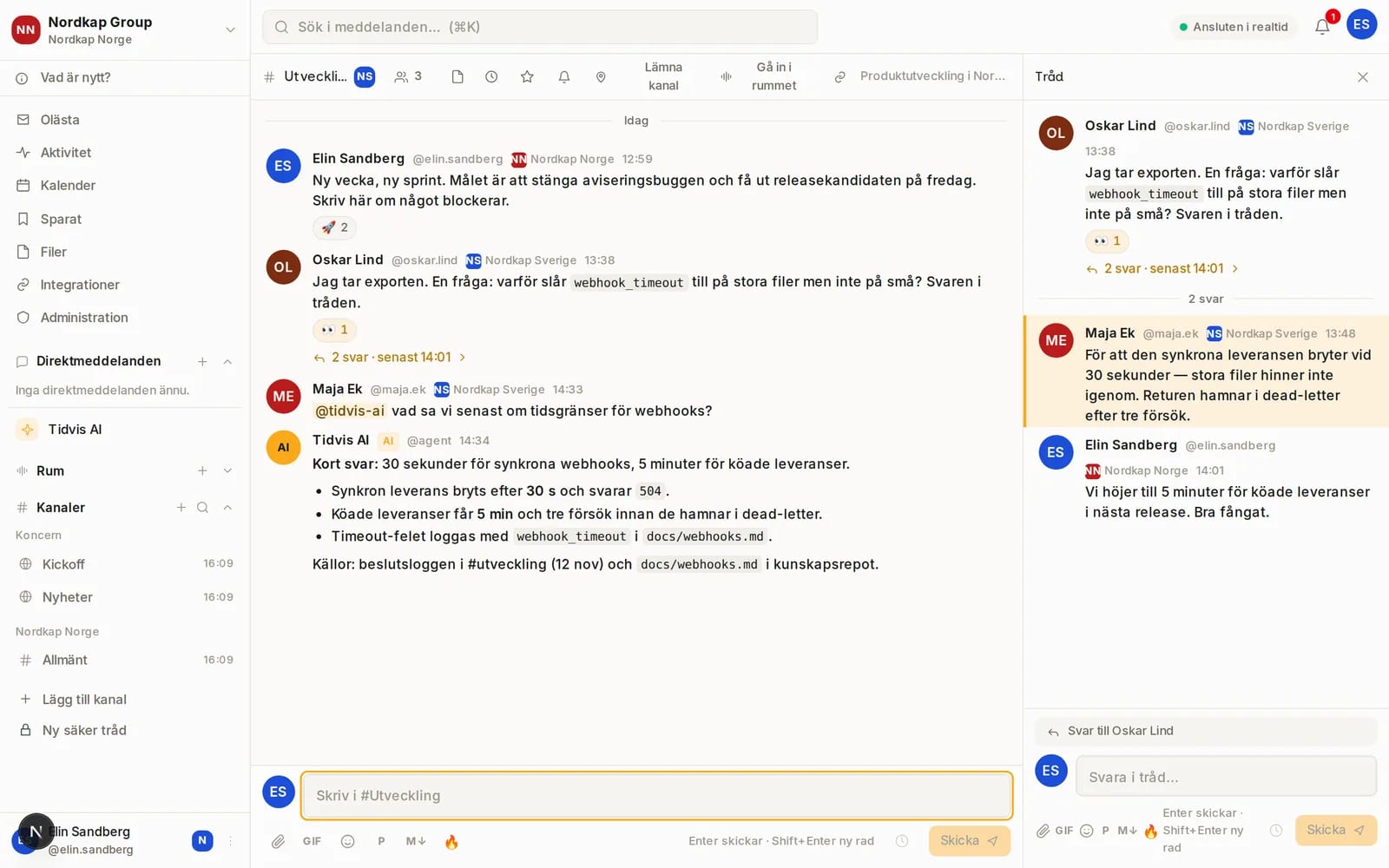
Mention the agent in the channel and ask. The answer comes with sources from your systems — and if you write something wrong, it asks first. You never let it loose on anything without approving it.
- ✓Answers in the channel — with sources, never a guess
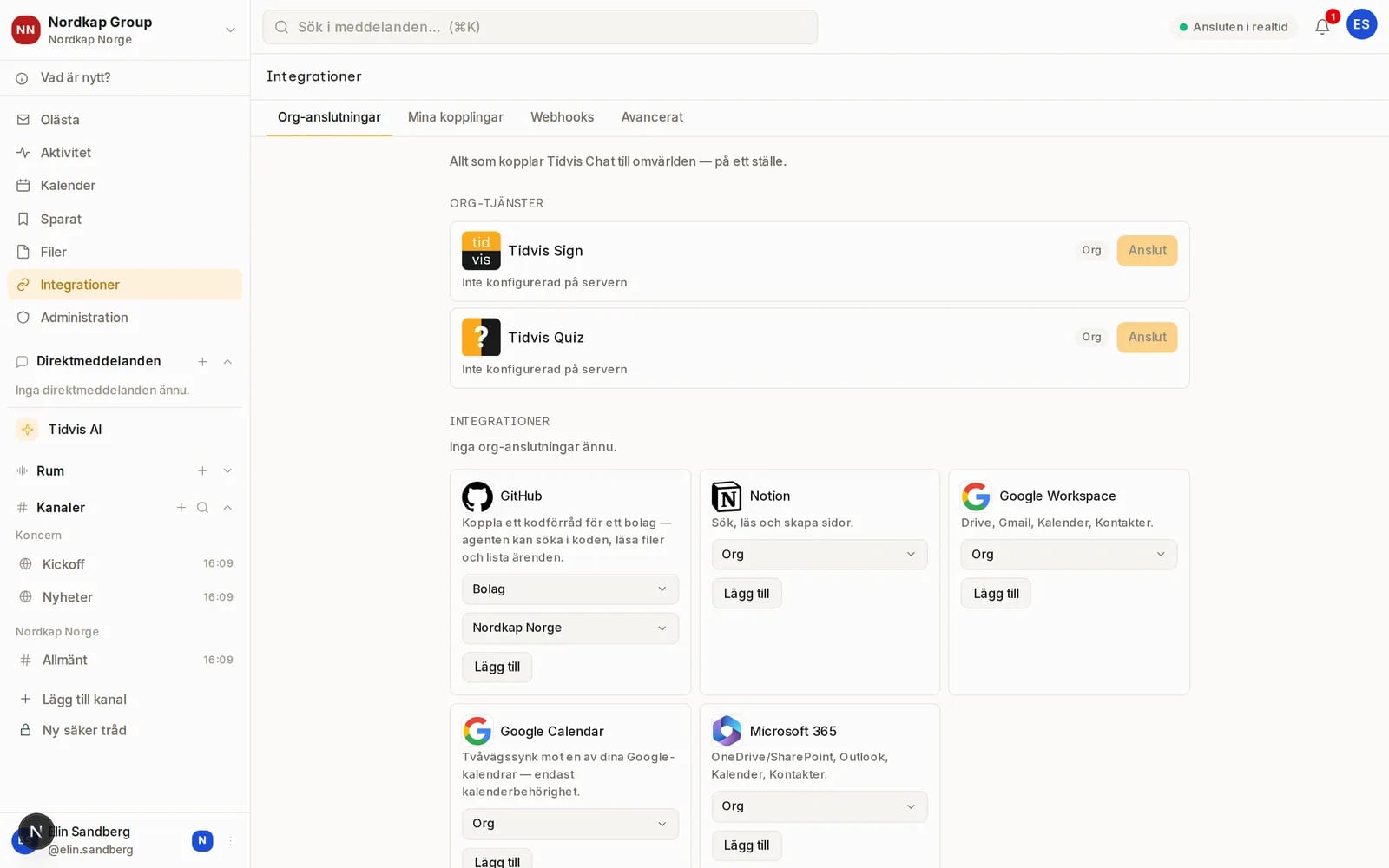
- ✓Connect your own MCP servers: your systems, your tools
- ✓Read-only runs immediately — writing always requires approval
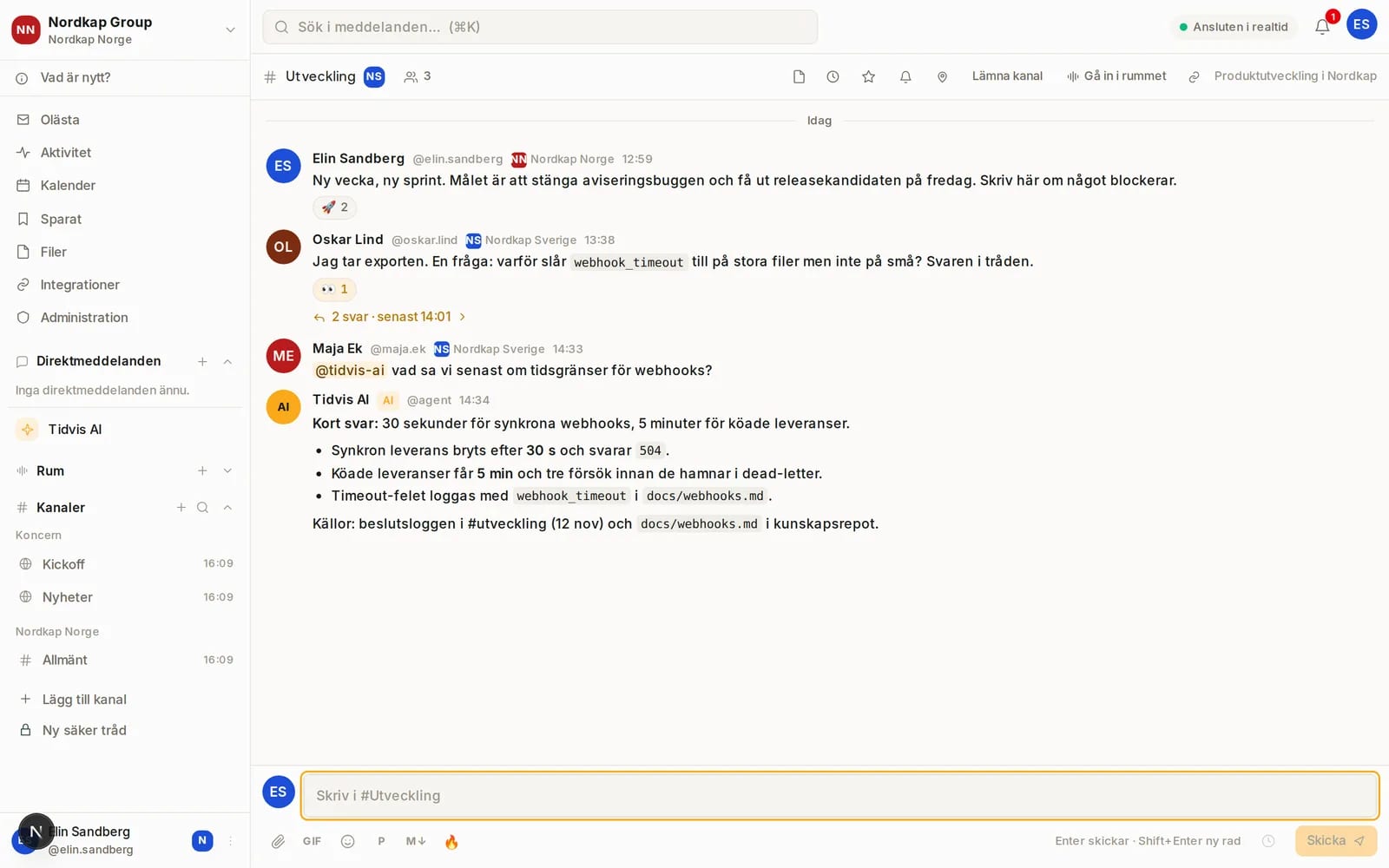
Decisions stop disappearing
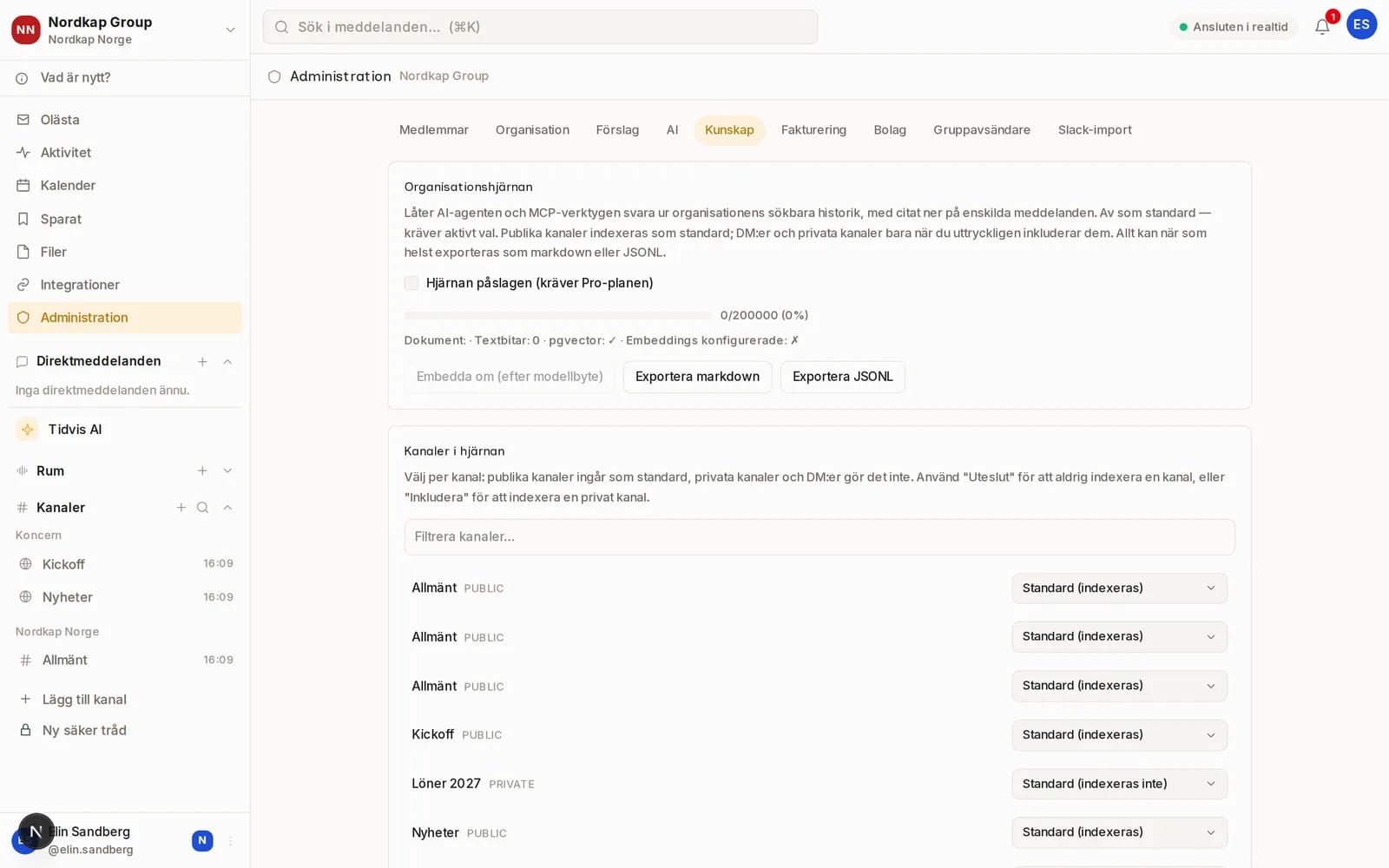
Why did we choose that vendor? What did we promise the customer in March? The answer is in your chat history — but nobody can find it. Every night the brain summarises your conversations into knowledge with sources preserved, and commits everything to your own GitHub repo.
- ✓Searchable decisions, promises and lessons — per day and channel
- ✓Ground truth: raw transcripts that the AI never edits
- ✓Ask the brain — the answer always traces back to the source
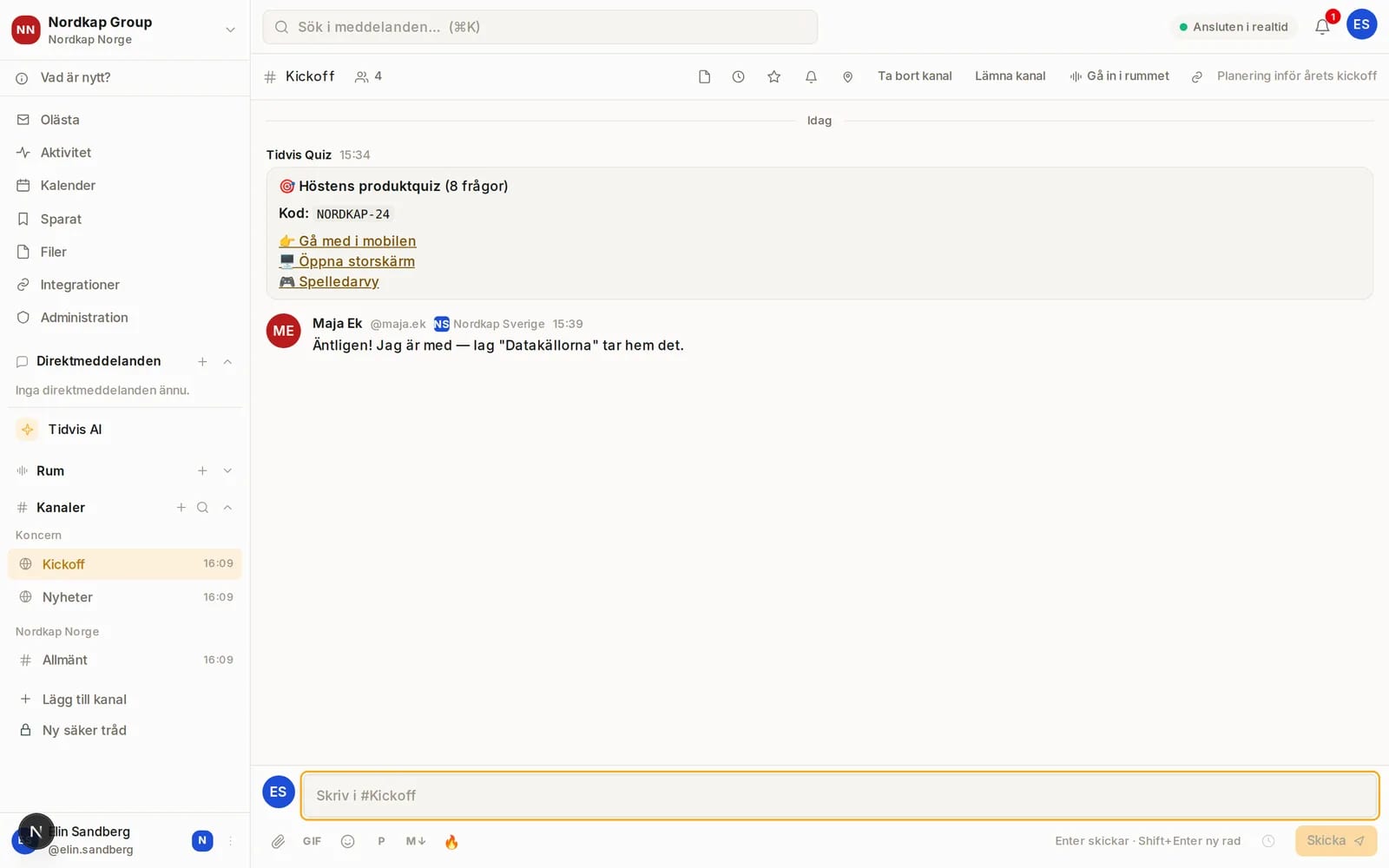
Quiz in the channel
Connect Tidvis Quiz to the organisation and start a session right in the channel. The card in the chat has the code, the link to the phone, the big screen and the host view. When the session ends, the result is posted back to the channel.
- ✓Connect Tidvis Quiz with OAuth under Integrations
- ✓Start with /quiz in any channel — the code lands in the chat
- ✓Participants join from their phones, the big screen shows the questions
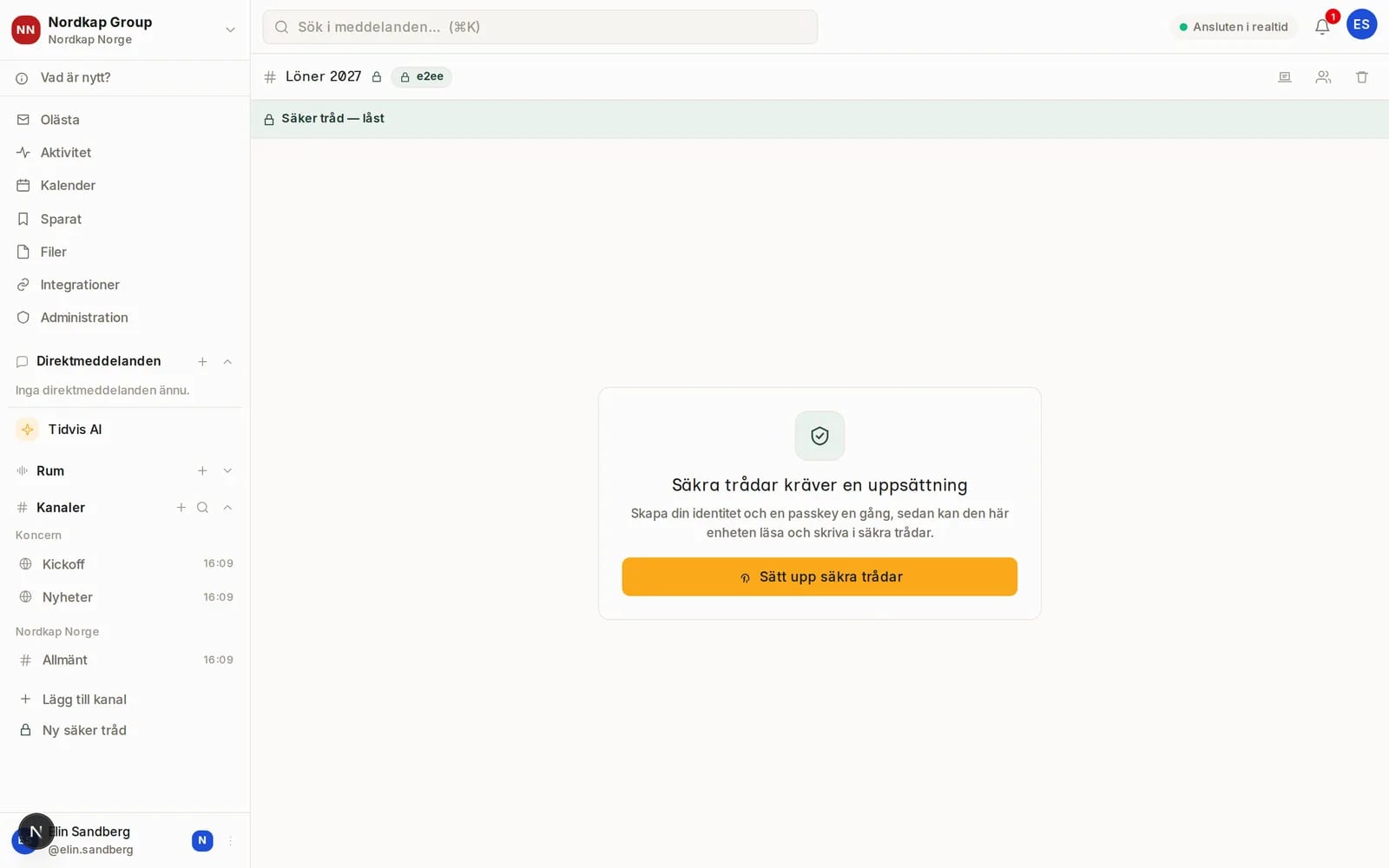
Threads the server cannot read
Sensitive conversations can live in a secure thread. The content is encrypted on the device before it leaves it, and the server only stores ciphertext — in separate tables, apart from the ordinary message history. The AI and the knowledge sync never touch them.
- ✓End-to-end encryption per device, with passkeys and step-up verification
- ✓The server stores ciphertext in separate tables — never plaintext
- ✓Unlocking lasts for a limited time, then the thread locks again
Your house, your rules
Teams and Google Chat channels are mirrored in while you migrate, GitHub is already in the chat, and you run the AI model wherever you want — including on your own hardware. Nothing leaves your environment unless you want it to.
- ✓Teams and Google Chat mirrored in — switch at your own pace
- ✓GitHub, Notion, Google Workspace and Microsoft 365 as agent tools
- ✓Webhooks to channels and an API for your own systems
Start with the whole platform — free for up to 3 users.
Team 50 SEK/user/month — AI agents, the organisational brain and integrations included. No card for the trial.
Get started free