
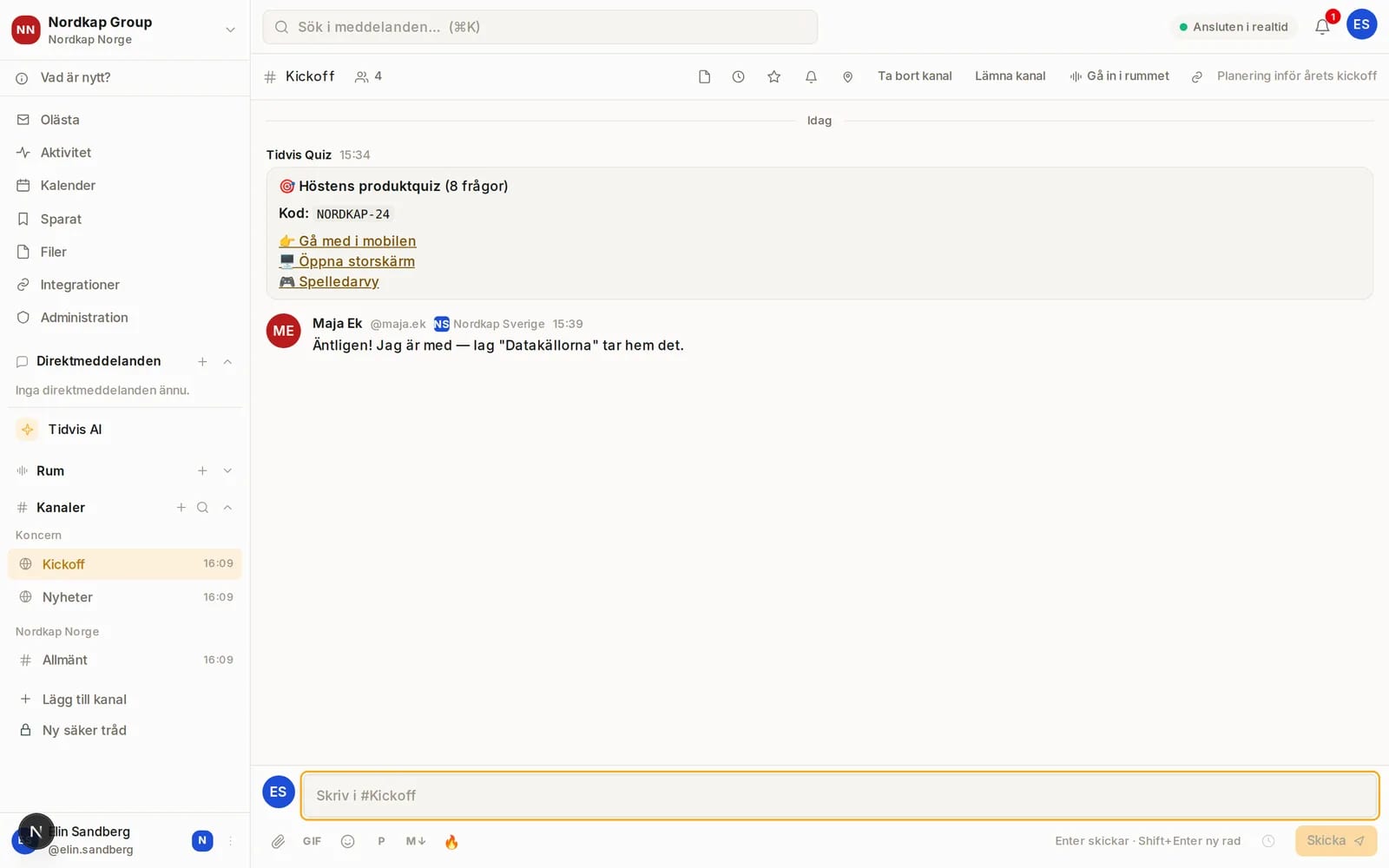
Connect Tidvis Quiz to the organisation and start a session right in the channel. The card in the chat has the code, the link to the phone, the big screen and the host view. When the session ends, the result is posted back to the channel.
What you get
- ✓Connect Tidvis Quiz with OAuth under Integrations
- ✓Start with /quiz in any channel — the code lands in the chat
- ✓Participants join from their phones, the big screen shows the questions
- ✓The result is posted back to the channel when the session ends
How it works
01
Connect
An administrator connects the organisation's Tidvis Quiz account under Integrations.
02
Start
Type /quiz in the channel. The session is created from the host's quiz.
03
Play
Participants enter the code on their phone. The big screen and host view open from the card.